
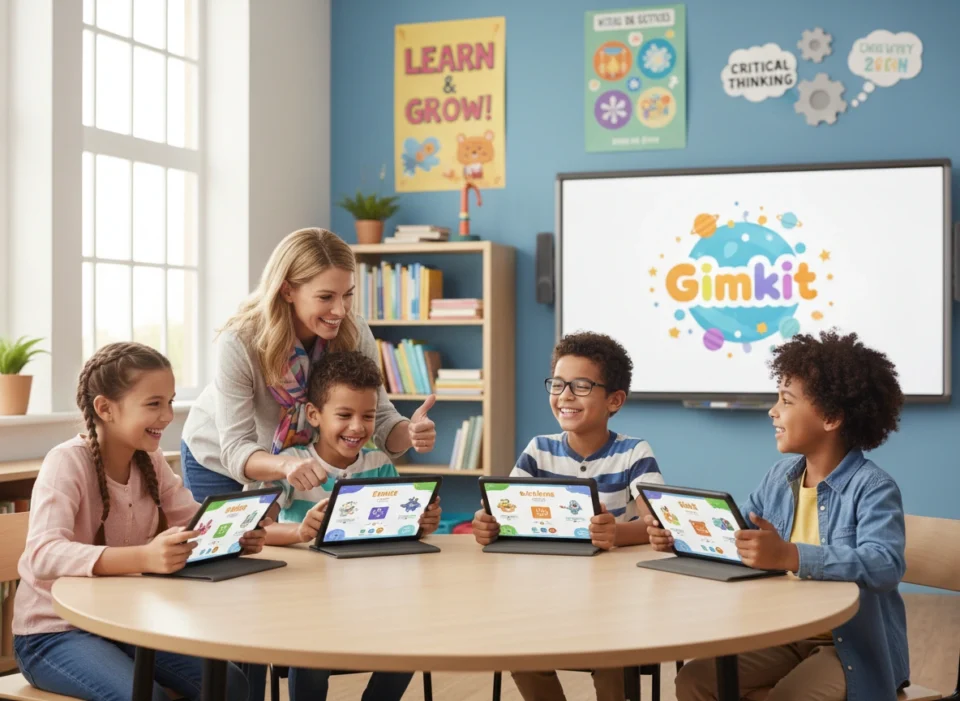
If your child has come home talking excitedly about earning “cash” in class or buying upgrades for a game called Gimkit, you might be wondering what exactly is happening during school hours. Unlike traditional quizzes or flashcards, Gimkit has taken classrooms by storm by blending high-stakes strategy with curriculum-based review.
As a parent, it’s natural to want to know more about the digital tools shaping your child’s education. Is it just a game? Is it actually educational? This guide provides comprehensive Gimkit info for parents, breaking down how this platform works and, more importantly, how it actively supports your child’s academic growth.
What is Gimkit?
Gimkit is a live learning game show platform used in classrooms to review concepts, vocabulary, and subject matter. It was actually created by a high school student, Josh Feinsilber, who felt that existing classroom games were becoming stale. He wanted something that had the engagement of a video game but the educational rigor of a quiz.
At its core, Gimkit is a quiz-based game similar to Kahoot! or Quizizz, but with a unique twist. Students answer questions on their own devices (laptops, tablets, or phones) at their own pace. Instead of just earning points, they earn in-game virtual currency (“money”). They can then use this currency to purchase upgrades and power-ups that help them earn money faster or protect them from other players.
The result is a dynamic learning environment where knowledge is the fuel for gameplay. Students aren’t just memorizing answers; they are incentivized to answer correctly and frequently to advance in the game.
How Gimkit Works: The Mechanics of Engagement
Understanding the mechanics helps explain why children find it so engaging. The loop is simple but addictive in a positive way.
The Question Cycle
When a teacher starts a game (often called a “Kit”), students join via a code. Once the game begins, questions appear on their individual screens. They might be multiple-choice or text-input answers.
If a student answers correctly, they earn virtual money. If they answer incorrectly, they lose a small amount. This immediate feedback loop encourages accuracy. Unlike games where everyone waits for the slowest player to answer, Gimkit allows students to cycle through questions at their own speed. This repetition is key to mastery.
The Shop and Strategy
This is where Gimkit differentiates itself. Students can open a “Shop” menu at any time during the game. Here, they can buy upgrades:
- Money per Question: Increases the payout for every correct answer.
- Streak Bonus: Rewards students for getting multiple answers right in a row.
- Multipliers: Increases overall earnings significantly.
They can also buy power-ups to use against other players (in certain game modes), such as “icing” a screen (freezing them for a few seconds) or subtracting money from the leader. This adds a layer of strategy that keeps students engaged far longer than a standard worksheet would.
Different Game Modes
Gimkit isn’t just one game; it’s a platform with multiple modes.
- Classic: Students compete individually to earn the most money.
- Team Mode: Students work together to pool their earnings.
- The Floor is Lava: The class must work together to keep the “money” total above a rising lava line, fostering cooperation.
- Trust No One: A game inspired by “Among Us,” where students must identify imposters while answering questions.
Educational Benefits for Your Child
While the game mechanics are fun, the educational value is robust. Here is how Gimkit specifically helps your child learn.
1. Mastery Through Repetition
One of the most powerful aspects of Gimkit is how it handles question rotation. In a standard quiz, you answer question #5 once and move on. In Gimkit, questions repeat. If a student gets a question wrong, they will see it again later. If they get it right, they still might see it again to reinforce the knowledge.
Because students want to earn money to buy upgrades, they are motivated to answer as many questions as possible. It is not uncommon for a student to answer 60–70 questions in a 10-minute session. This high volume of repetition builds muscle memory and helps move information from short-term to long-term memory.
2. Low-Stakes Failure
Fear of failure can be a major barrier to participation in class. Raising a hand and getting an answer wrong in front of peers is intimidating. Gimkit removes that spotlight.
When a child answers incorrectly on Gimkit, they lose a bit of virtual cash, and the correct answer is immediately displayed. They can quickly brush it off and try again. The penalty is part of the game economy, not a judgment on their intelligence. This creates a psychological safety net where students feel comfortable taking risks and learning from their mistakes.
3. Engagement for Reluctant Learners
Every classroom has students who are disengaged by traditional lectures. By gamifying the assessment process, Gimkit meets these students where they are. The strategy element—deciding whether to save money or spend it on an upgrade—activates different parts of the brain than simple recall. For students who love video games, this format bridges the gap between their hobbies and their schoolwork.
Supporting Different Learning Styles
Gimkit is surprisingly versatile in accommodating different ways of learning.
- For the Competitive Learner: The leaderboards and player-vs-player interactions provide the adrenaline rush competitive kids thrive on. They are motivated to learn the material perfectly so they can dominate the game economy.
- For the Collaborative Learner: In team modes, students must communicate. They shout out strategies (“Everyone buy the streak bonus!”) and help each other with difficult questions. This social learning reinforces concepts as students explain answers to their peers.
- For the Paced Learner: Because questions are on the student’s individual device, they don’t have to wait for the rest of the class. Fast processors can zoom ahead, while students who need more time can read carefully without feeling rushed by a countdown timer on the main whiteboard.
Safety and Privacy: What Parents Need to Know
In the digital age, privacy is a top concern. Gimkit is generally considered very safe for classroom use.
- No Direct Messaging: There is no chat feature that allows students to message each other privately or publicly within the game. Communication happens in the physical classroom or via the game mechanics (like using a power-up).
- Teacher Control: The teacher controls the game environment. They can turn off “power-ups” that might be too aggressive (like stealing money) if they feel it disrupts the class dynamic.
- Data Privacy: Gimkit is COPPA (Children’s Online Privacy Protection Act) and FERPA (Family Educational Rights and Privacy Act) compliant. They do not sell student data. Students can often join games without even creating an account, simply by using a game code provided by the teacher.
How Parents Can Get Involved
You don’t have to leave Gimkit at the classroom door. Here are ways you can use this platform to support learning at home.
1. Homework Assignments
Teachers can assign Gimkit “kits” as homework. Instead of a deadline, the assignment might be to reach a certain monetary goal (e.g., “Earn $1,000,000”). Ask your child if they have any Gimkit assignments. Watching them play is a great window into what they are currently studying.
2. Create Your Own Kits
Gimkit has a free version that allows anyone to create a “Kit.” This is a fantastic study tool for tests. If your child has a spelling test or a history exam coming up, sit down with them and help them type the questions and answers into a new Gimkit set.
- The creation process itself is studying. By having to think of the correct answer and plausible wrong answers (distractors), your child is engaging deeply with the material.
- Family Game Night: Once the kit is made, you can play it together! Parents can join the game on their phones. Be warned: your children will likely beat you at the strategy aspect, but it makes for a fun, educational family bonding experience.
3. Ink (Gimkit Creative)
For children who are creative or interested in coding/design, Gimkit has a mode called “Gimkit Creative.” It allows students to design their own game maps and modes. Encouraging your child to build their own educational game is a high-level learning activity that builds logic and design skills.
Conclusion
Gimkit is more than just a distraction or a way to fill time at the end of class. It is a sophisticated educational tool that leverages the psychology of gaming to enhance learning. By utilizing repetition, strategy, and instant feedback, it helps students master content in a way that feels like play.
As a parent, seeing your child engaged with Gimkit is a positive sign. It means they are actively participating in their education, building fluency in their subjects, and developing strategic thinking skills—all while having fun. Whether they are playing in the classroom or reviewing for a test at the kitchen table, Gimkit is a modern ally in your child’s academic journey.
Actionable Next Steps:
- Ask your child if they use Gimkit in class and which game mode is their favorite.
- Create a free account and try building a simple trivia game with your child to see the mechanics firsthand.
- Check your child’s syllabus or ask their teacher if Gimkit is used for homework review so you can ensure they have access to a device when needed.
